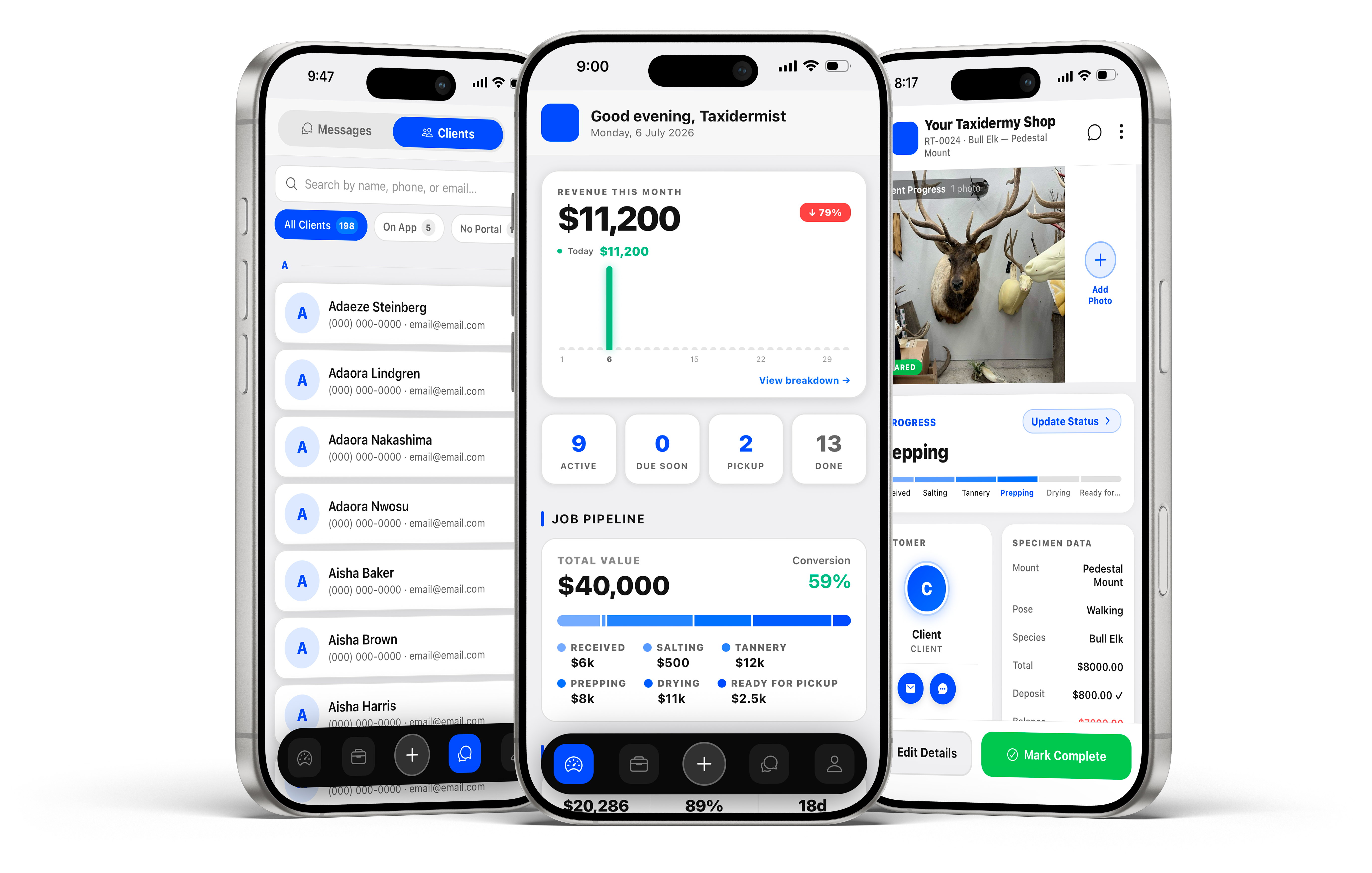
No complicated setup. No training required. If you can use a smartphone, you can run your shop on Taxidermy Pro.
1
Download & Create Your Shop
Grab Taxidermy Pro from the App Store or Google Play. Name your shop, set your job-number prefix, and define your pipeline stages. Live in under five minutes.
iOS & Android · Free to download
2
Log the First Job
Tap New Job, choose the species and mount type, enter the deposit, set the due date, and invite the customer by email. Their portal is live instantly.
Customer invited automatically
3
Run Your Shop in Real Time
Update status as work moves through your pipeline. Customers get notified at each stage. Your team tracks their queue. You watch the revenue roll in.
Push notifications · Live analytics
Three Roles, One App
Built for everyone in your shop.
One subscription covers the whole operation. Employees and customers use Taxidermy Pro completely free.
Full Control
Shop Owner
Revenue analytics, job pipeline, customer management, staff oversight, billing, and complete shop configuration — all in one dashboard.
Revenue charts & monthly analytics
Full job & customer management
Staff invite + permission control
Subscription & billing settings
Audit log & data export
Employee
Taxidermist
See and work assigned jobs, update status, log hours, and message customers — all without touching the shop's finances or settings.
View & update assigned jobs
Log hours per job
Message customers on jobs
View personal hours history
Free Portal
Customer
Invited by the shop when a job is created. Real-time portal to track their mount, view photos, and message the shop — no app download needed.
Live job status tracking
In-progress photo viewing
Direct messaging with the shop
Deposit & balance visibility
Owner pays one subscription · Staff & customers use Taxidermy Pro free
Frequently Asked Questions
How long does setup take?
Most shops are live within five minutes. Download the app, name your shop, set your job-number prefix, and define your pipeline stages — no training or onboarding call required.
Do customers need to download an app?
No. Customers receive an email invite tied to their job and access their portal from a browser link — they can track status, view photos, and message your shop without installing anything.
Can multiple employees use it at once?
Yes. Invite employees for free from Settings → Team. Each employee sees their assigned jobs and can update status, log hours, and add photos from their own device.
Does it work if I'm not near my shop?
Taxidermy Pro is a mobile app, so you can create jobs, log payments, and message customers from anywhere you have a phone signal.
Get Started Today
Your shop deserves better tools.
Five hundred shops have replaced their whiteboards, sticky notes, and group texts with Taxidermy Pro. Start your 14-day free trial today.